

How to Create Custom GIFs Using Meta AI on WhatsApp
Meta’s AI chatbot has taken a huge leap forward by introducing a feature that lets users create custom GIFs with just a few words. That’s right, you can now turn your wildest imaginations into animated snippets right within WhatsApp!
Meta AI has made it incredibly easy to create unique and personalized GIFs right within WhatsApp. Here’s a step-by-step guide:
Prerequisites:
* Updated WhatsApp: Ensure you have the latest version of WhatsApp installed on your device.
* Meta AI Integration: Your WhatsApp account should have the Meta AI feature enabled.
Steps:
* Open a Chat: Start a new chat or open an existing one where you want to send the GIF.
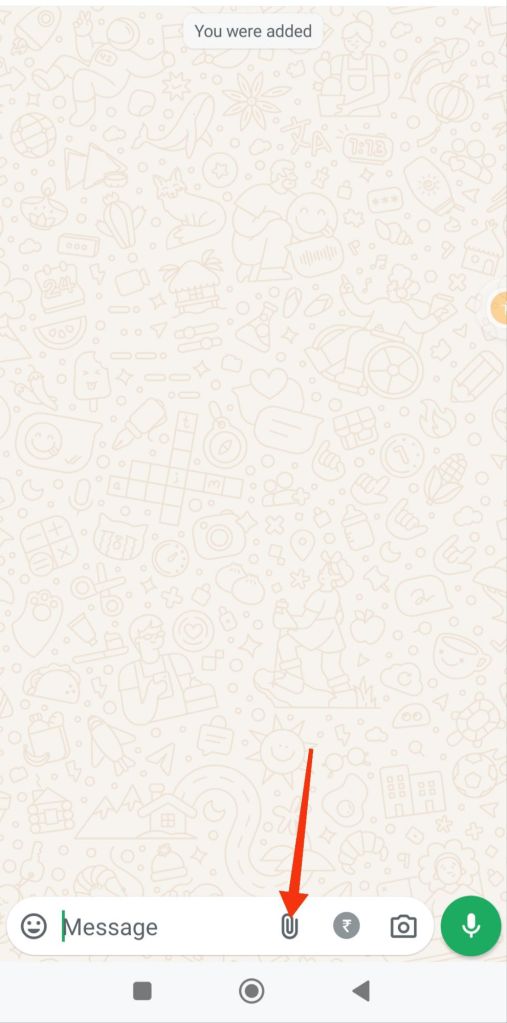
* Tap the Attachment Icon: Look for the paperclip icon in the message bar. Tap on it to access media options.
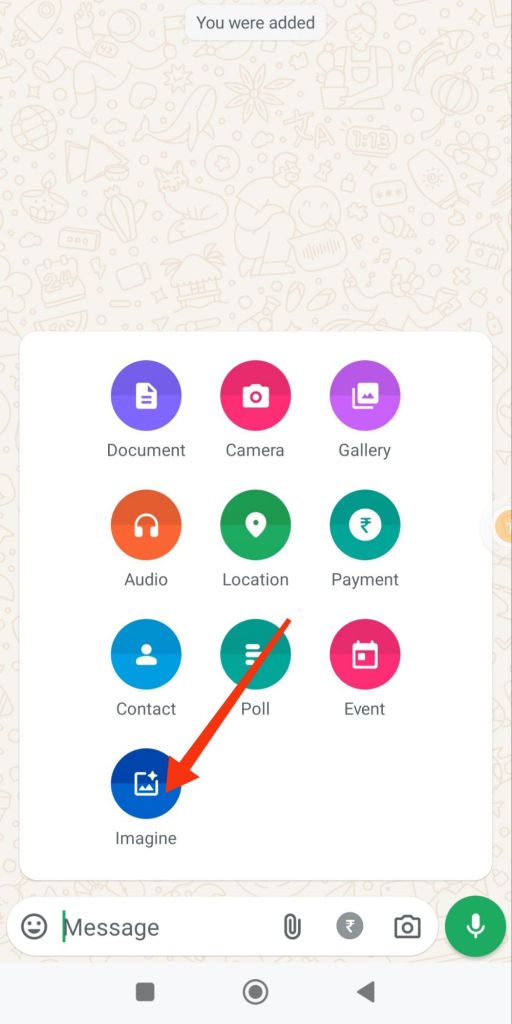
* Access Meta AI: You should see an option for “Imagine” or something similar. This is where Meta AI comes into play.
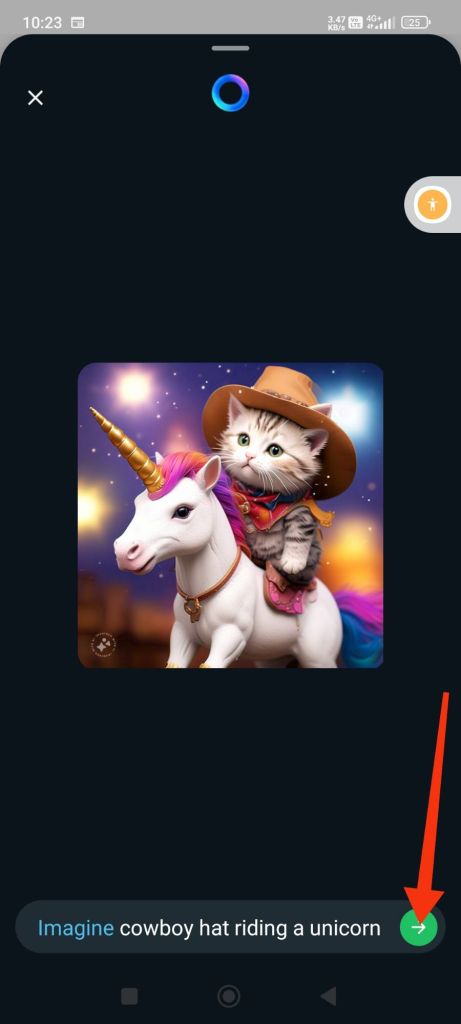
* Describe Your GIF: In the text box, provide a detailed description of the GIF you want to create. The more specific you are, the better the results. For example, “A cat wearing a cowboy hat riding a unicorn.”
By following these steps, you can easily create custom GIFs tailored to your preferences and add a fun and personal touch to your WhatsApp conversations.
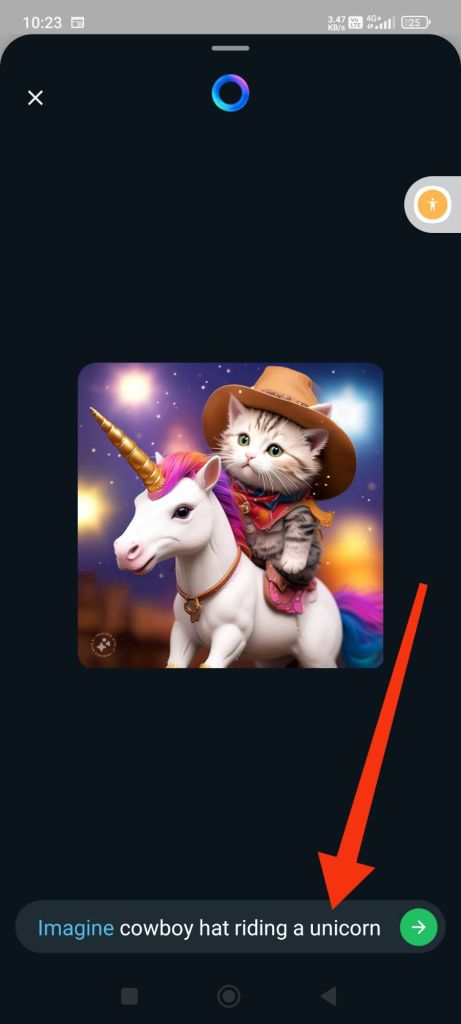
* Generate Image: Once you’re satisfied with your description, tap the send button or equivalent to generate the image.
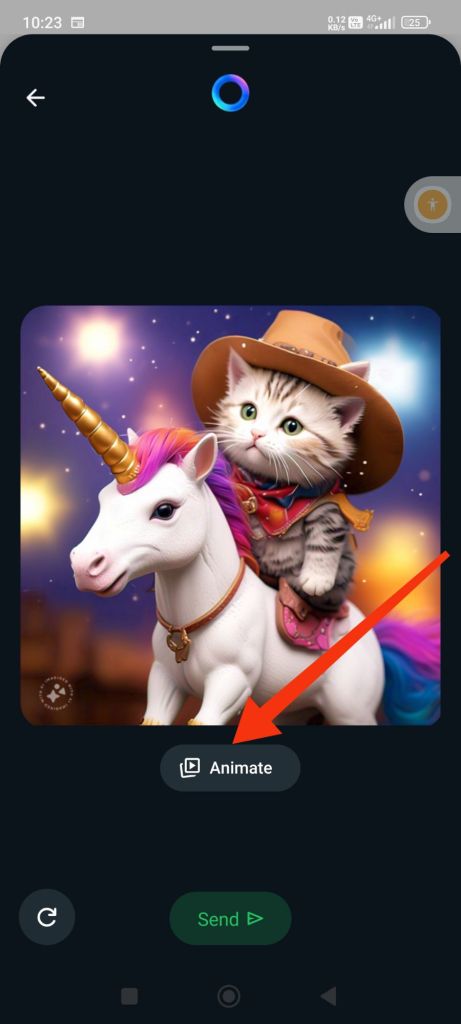
* Animate the Image: After the image is generated, you should see an option to animate it. Tap on this option to convert the static image into a GIF.
* Customize (Optional): You might have options to customize the GIF, such as adjusting the speed or adding effects.
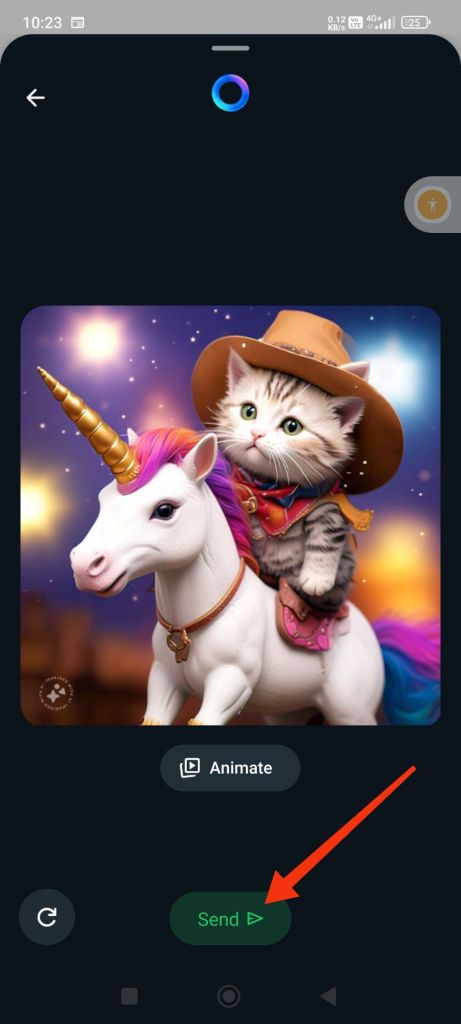
* Send the GIF: Once you’re happy with the GIF, send it to your chat.
 95TechGuru